
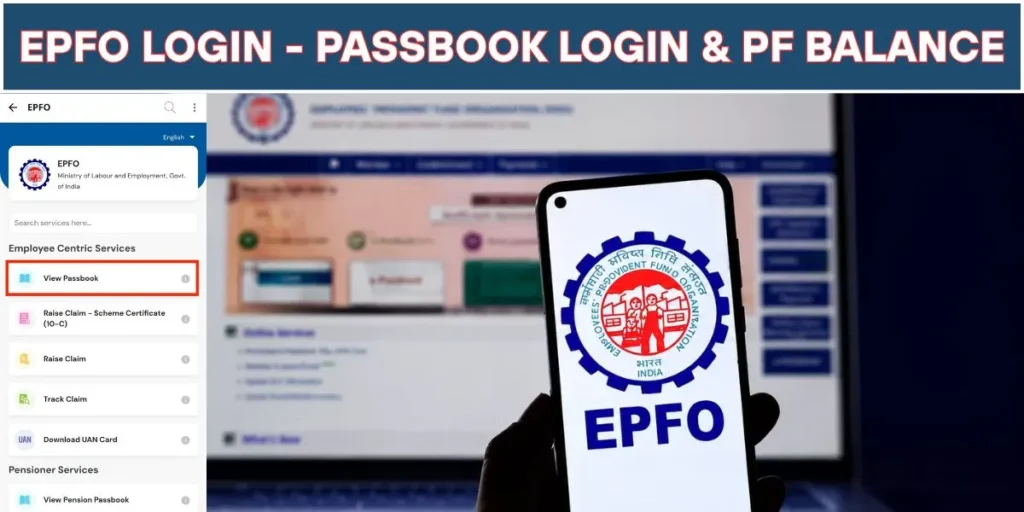
The EPFO Login portal is the official online platform that allows employees to access their Provident Fund (PF) account anytime. Whether you want to check your PF balance, download your EPFO passbook, track a claim, or update KYC details, almost every important service is available through your UAN Login.
The Employees’ Provident Fund Organisation (EPFO) has made it easier than ever for members to manage their retirement savings without visiting an EPFO office. If you have an active Universal Account Number (UAN), you can log in securely and access all your PF-related information in just a few clicks.
In this guide, you’ll learn how to use the EPFO Login portal, activate your UAN, check your passbook, verify your PF balance, and monitor your claim status.
What is EPFO Login?
EPFO Login is an online authentication system that enables employees, employers, and pensioners to access various EPFO services. Employees use their UAN (Universal Account Number) along with their password to sign in to the Member Portal.
Once logged in, users can view employment history, download their passbook, update KYC details, submit online claims, transfer PF accounts, and check the latest contributions made by their employer.
What is UAN Login?
The Universal Account Number (UAN) is a unique 12-digit identification number issued by EPFO. It remains the same throughout your career, even if you change jobs. Every PF account linked with different employers can be connected under a single UAN.
Using your UAN Login, you can access all EPFO services from one dashboard without creating multiple accounts.
Benefits of EPFO Login
The online EPFO portal offers several advantages for employees.
- Check PF balance instantly
- Download EPFO passbook
- Track online claim status
- Transfer PF after changing jobs
- Update Aadhaar, PAN, and bank details
- Download UAN card
- View employer contribution history
- Submit online withdrawal requests
These services save time and eliminate the need for frequent visits to EPFO offices.
How to Login to the EPFO Member Portal
Logging into your EPFO account is simple if your UAN has already been activated.
Visit the official EPFO Member Portal and click on Member Login. Enter your UAN, password, and captcha code. After successful verification, your member dashboard will open, displaying your PF account details and available online services.
If you are logging in for the first time, you must activate your UAN before accessing the portal.
How to Activate Your UAN
Employees who receive a UAN from their employer need to activate it only once.
Go to the UAN activation page and provide your UAN, Aadhaar number, PAN, or Member ID. Enter your registered mobile number and complete the OTP verification process. After creating a secure password, your UAN Login will become active.
Once activated, the same credentials can be used for future logins.
EPFO Passbook
The EPFO Passbook is a digital statement showing all monthly contributions made by both the employee and employer. It also displays pension contributions, opening balance, interest credits, and transaction history.
Employees should regularly review their passbook to ensure that monthly PF contributions are being deposited correctly.
If recent contributions are missing, it may simply indicate that the employer has not yet filed the Electronic Challan-cum-Return (ECR), or the records are still being processed.
How to Download EPFO Passbook
Downloading your passbook is straightforward.
Log in using your UAN credentials and open the Passbook section. Select the Member ID linked to your employment. The complete passbook can then be viewed online or downloaded for future reference.
The downloaded file can be used for loan applications, financial planning, or personal record keeping.
How to Check PF Balance
Checking your PF balance online has become extremely convenient.
After signing in through EPFO Login, your latest PF balance appears in the passbook. Apart from the online portal, members can also check their balance using the UMANG App, SMS service, or missed call facility, provided their UAN is activated and linked with Aadhaar.
Reviewing your PF balance regularly helps employees monitor retirement savings and employer contributions.
How to Check EPFO Claim Status
Employees who apply for PF withdrawal, pension, or account transfer can monitor their application online.
Simply log into the EPFO Member Portal and open the Track Claim Status section. The system displays the current stage of your request, including whether it is under verification, approved, settled, or rejected.
This eliminates uncertainty and helps members stay informed without contacting the EPFO office.
EPFO Services Available After Login
The EPFO portal provides multiple online services from one dashboard.
| Service | Description |
|---|---|
| UAN Login | Secure access to your EPFO account |
| Passbook | View and download contribution history |
| PF Balance | Check current PF accumulation |
| Claim Status | Track withdrawal or transfer requests |
| Online Claims | Apply for PF withdrawal online |
| KYC Update | Link Aadhaar, PAN, and bank account |
| Profile Management | Update personal information |
| UAN Card | Download your UAN card |
Common Login Problems and Solutions
Sometimes members face login issues due to incorrect credentials or incomplete account verification.
If you forget your password, simply use the Forgot Password option to reset it through OTP verification.
If your UAN is inactive, complete the activation process before attempting to log in again.
Ensure that your Aadhaar, PAN, mobile number, and bank account are properly linked to avoid issues while submitting claims or updating KYC.
Temporary website maintenance may also prevent login for a short period. In such cases, try accessing the portal after some time.
Tips for Safe EPFO Login
Always log in through the official EPFO portal and never share your password or OTP with anyone.
Use a strong password containing uppercase letters, lowercase letters, numbers, and special characters. Update your password periodically and avoid logging in from public computers whenever possible.
Keeping your registered mobile number active is equally important because all important notifications and OTPs are sent to that number.
Conclusion
The EPFO Login portal has transformed the way employees manage their Provident Fund accounts. From UAN Login and passbook downloads to checking PF balance and tracking claim status, almost every EPFO service is now available online.
Employees should activate their UAN, verify their KYC details, and regularly review their passbook to ensure that contributions are being credited correctly. Using the EPFO Member Portal not only saves time but also provides complete transparency over your retirement savings.
Frequently Asked Questions (FAQs)
1. What is EPFO Login?
EPFO Login is the official online portal where employees can access their PF account using their UAN and password.
2. How can I check my PF balance online?
You can log in to the EPFO Member Portal, open your passbook, and view your latest PF balance.
3. Can I download my EPFO passbook?
Yes. After logging into your account, you can view and download your EPFO passbook from the Passbook section.
4. How do I check my EPFO claim status?
Sign in to your EPFO account and open the Claim Status section to track the progress of your withdrawal or transfer request.
5. What should I do if I forget my EPFO login password?
Use the Forgot Password option on the EPFO login page, verify your identity using OTP, and create a new password.